

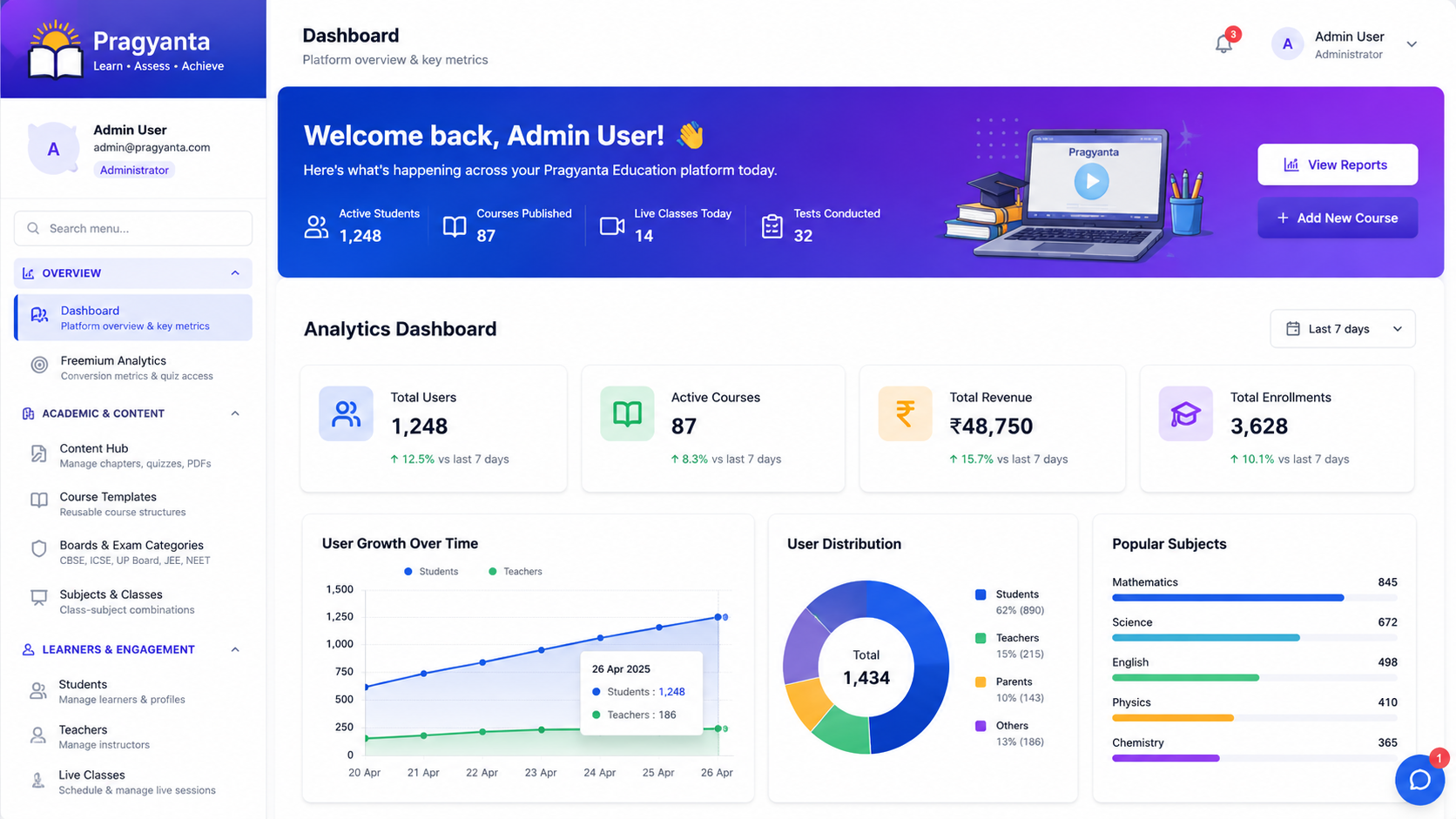

Admin panels are often treated as the back room of a product, but they become mission-critical surprisingly fast. As soon as a platform has real users, support tasks, permissions, reporting, and operational workflows, the admin side stops being a convenience and starts becoming the control system for the business.
Why admin panels become messy
The usual problem is not that teams ignore them. It is that they grow reactively. One feature adds one table. Another adds one filter. Then more roles appear, more actions are needed, and the interface becomes a dense pile of screens rather than a usable system.
The design questions that matter early
- Who uses this panel? - operations, support, compliance, managers, educators, or founders may all need different views.
- What decisions need to happen quickly? - dashboards should support action, not only display numbers.
- What workflows repeat often? - repeated tasks deserve better structure than buried one-off tools.
- What should be visible versus buried? - not every setting belongs on the first screen.
Why scalability here is mostly about clarity
For admin interfaces, scale often means complexity before it means traffic. More entities, more filters, more statuses, more permissions, more reports, and more operational exceptions all put pressure on the interface. A scalable admin panel is one that still feels understandable after those layers arrive.
How data design affects the UI
Good dashboards depend on good backend and database structure. If reporting needs were never considered, the admin UI becomes a cosmetic layer over hard-to-query data. This is one reason dashboard design connects directly to API structure and schema planning rather than sitting only inside frontend work.
What strong admin panels usually do well
They make important signals obvious, separate operational tasks from deep configuration, respect user roles, and support the common decisions the team needs to make every day. They reduce friction for the people running the product, which indirectly improves the product for everyone else too.
Final thought
A scalable admin panel is not just an interface for internal users. It is part of the product architecture. When designed well, it helps the business move faster, support users better, and handle growth with less chaos.
Sources & Further Reading:
Google Search Central Documentation ·
Moz SEO Blog ·
Search Engine Land
Turn this article into a practical action plan
If this topic affects your site, campaign, or LMS growth path, we can help translate it into changes that actually fit your current setup.
Discuss This TopicFollow the related journey
Use the article as one step, then move into the service, portfolio, or broader blog context around it.